
Complex Automation: The Parking Gate (Part 2)
Learning Objective
Translate your state diagram from last week into real Rule Engine rules! Use multi-step Condition rules with exact action names and ms delays to safely open and close the parking gate.
Theory: Multi-Step Rules & Jitter
Doing More Than One Thing
So far, each rule did one thing, like turning on an LED. A parking gate must do several things in order when a car arrives:
- Turn the RGB Green on to signal "Go!".
- Move the Servo to the Open angle.
One rule can have several Steps. Each step has its own Action and Delay (in ms). The steps run one after another, in the order you set.
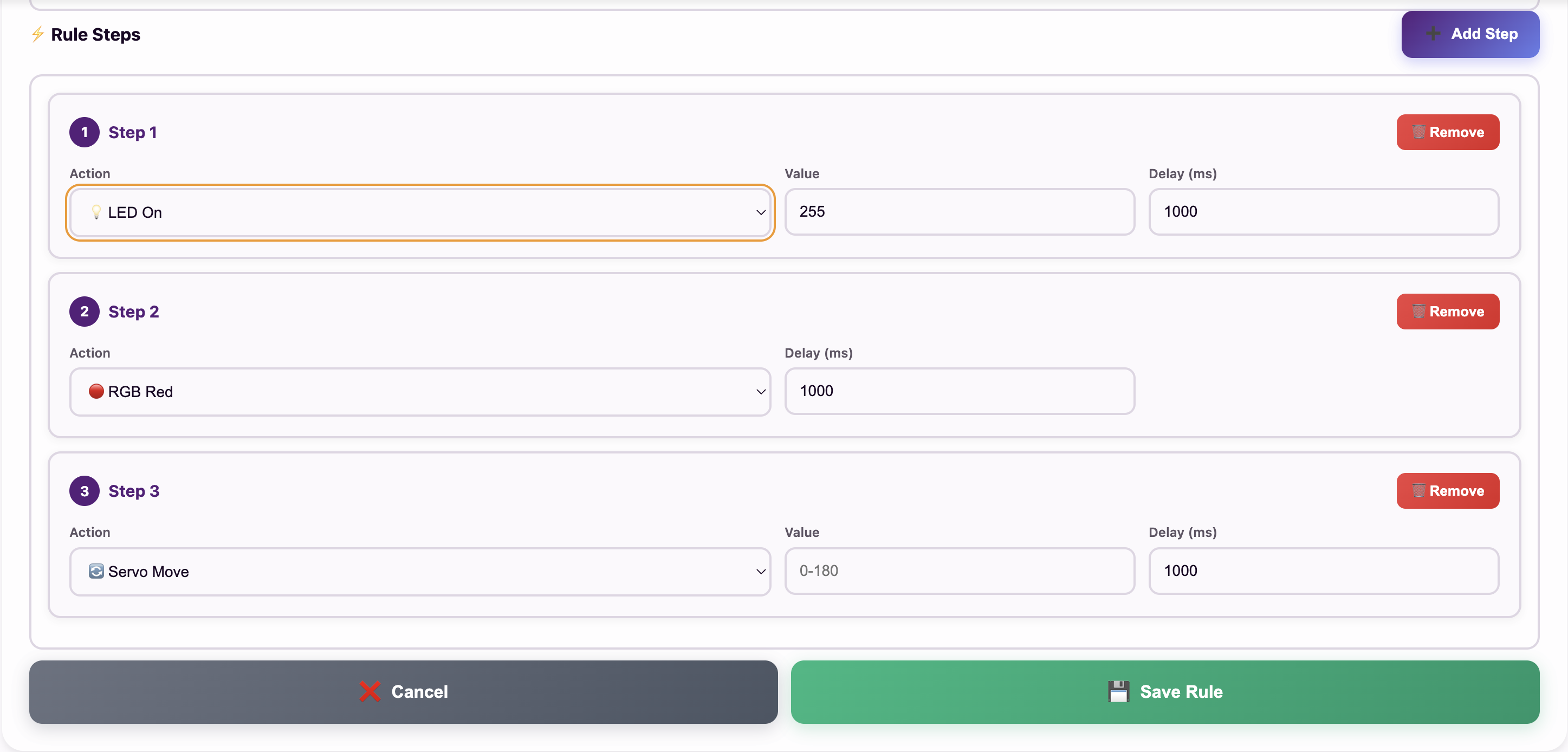
Adding Steps
Click ➕ Add Step in the Create Rule form to add more steps (up to 10). Each step runs after the previous one finishes.
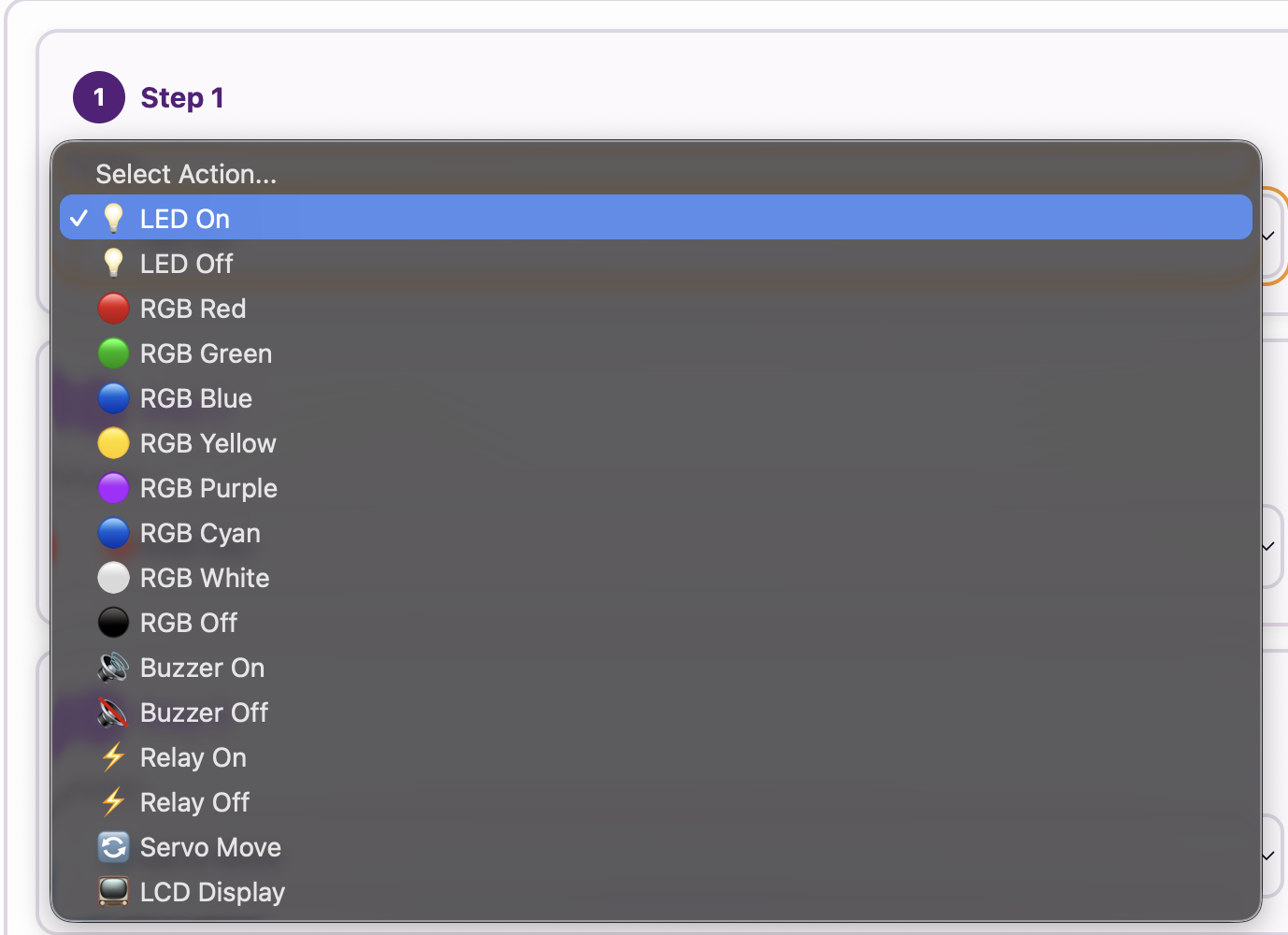
Configuring Each Step
For each step, choose the Action (e.g. 🔄 Servo Move or 🟢 RGB Green) and set its Delay (ms). For a servo step the box is called Hold after movement (ms).
The Danger of Jitter — Solved with a Gap
Remember Week 27? Say the gate opens at Distance < 10 and closes at Distance > 10, the same threshold. Then the gate would flap open and closed every few seconds while the car sits right at the sensor edge. This flapping is Jitter.
The fix is a Threshold Window gap: open at < 10, but close only at > 20. A step’s delay happens after its action, so Rule 2 starts with a red light that waits 3000 ms before the step that closes the gate.
Try It: Program the Parking Gate
Interactive demo · no kit needed
Play with a pretend MakerBuddy board and its web page, right here.
Follow the steps one at a time. Got the kit? You can switch to the real board inside.
Activity: Coding the Smart Barrier
Get the numbers you wrote down last week: Closed Angle, Open Angle and Distance Threshold. Now build both rules.
Rule 1 — Car Arrives ("CarArrived")
🎯 Condition | Sensor: 📏 Distance (HC-SR04) | Operator: Less than (<) | Threshold: your car threshold
Rule 2 — Car Leaves ("CarLeft")
🎯 Condition | Sensor: 📏 Distance (HC-SR04) | Operator: Greater than (>) | Threshold: a bigger number
While no car is there, this rule keeps repeating: red stays red and the closed gate stays closed, so repeating does no harm.
- Build Rule 1 as shown and save it.
- Build Rule 2 as shown and save it.
- Test it: hold an object closer than your car threshold: a toy car or a book, never your hand in the arm's path. About a second later the RGB LED turns green and the gate opens (up to about 4 seconds if Rule 2 has just started its red wait, because it finishes its cycle first). Pull the object back beyond your bigger number: the light turns red, and 3 seconds later the gate closes. (While these rules are saved, the Servo Motor card is locked. Press ⏹️ on both rules to use its slider again.)
Challenge: The Broken Gate
Debugging Simulation
You are the lead engineer. A customer calls: "The gate opens fine, but once the front of my car passes the sensor, the gate slams down on my roof!"
- Which part of Rule 2 keeps the car from being hit?
- What if the Delay in Step 1 of Rule 2 was 100 ms instead of 3000 ms?
- What if the closing threshold was > 10 instead of > 20?
- Task: In 2–3 sentences, tell the customer how the Delay and Threshold Window work together to keep their car safe. Then add one sentence on what the gate still cannot do: once the 3-second countdown has started, Rule 2 always finishes, so a car that stops under the arm could still be hit. Real gates add a safety sensor under the arm for this.
Coming Up Next Week:
Week 31: Capstone Project Design & Troubleshooting
Learning Support
Use this quick guide to help every learner understand, practice and explain Complex Automation: The Parking Gate (Part 2).
For students
Try it in three steps
- Say it: explain the main idea in one simple sentence.
- Show it: Build the rule structure for automatic gate raising based on proximity sensor.
- Stretch it: The Broken Gate: explain how the 3-second wait and the gap between the open and close distances keep the gate from slamming or flapping.
Checkpoint: What was your input, what decision or process happened, and what was the output?
For teachers & parents
Coach without taking over
- Before: ask the learner to predict what will happen and why.
- During: use prompts such as “What changed?” and “What could you test next?” instead of giving the answer.
- After: ask for a 30-second explanation, one piece of evidence and one improvement.
Look for: safe handling, correct vocabulary, a result the learner can demonstrate, and an explanation in their own words.
Did you get it?
Three quick questions. Pick an answer to see whether it is right, and why.
1Why does the parking gate use a bigger distance to close than to open?
2What does the 3000 ms delay on the red light step in the CarLeft rule do?
3Why does a gate rule need several steps?