
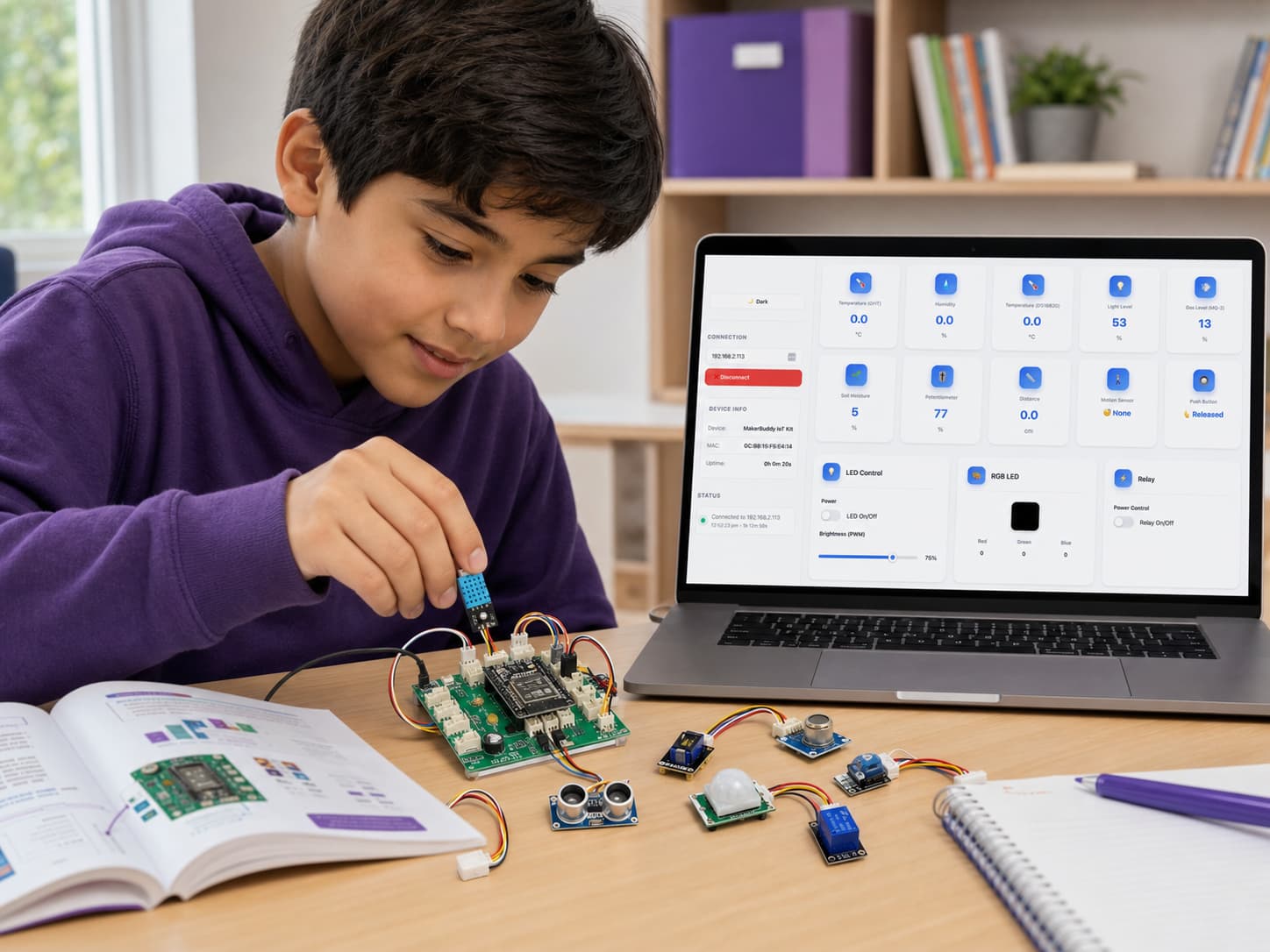
MakerBuddy IoT Curriculum
A complete 32-week journey from IoT basics to building smart automation systems
32 Weeks
One academic year
4 Terms
8 weeks each term
45-60 min
Per class session
Learn by Doing
Theory, practice, challenge
Term 1 - Weeks 1-8
Foundations of IoT, Power & Output
Understanding the ecosystem, electronics basics and controlling outputs
Theory: The "Input → Process → Output" cycle. Smart devices vs. regular devices.
Activity: Unboxing MakerBuddy. Identifying parts: ESP32 Brain, Blue Grid (DHT11), Metal Probe (DS18B20), Ears (HC-SR04).
Challenge: Match the sensor to the connector on the PCB (3-pin & 4-pin).
Theory: IP addresses. Difference between Hotspot (AP) and Router (STA).
Activity: Power via USB. Connect to "MakerBuddy" hotspot. Config WiFi. Read IP from LCD.
Challenge: Successfully load app.makerbuddy.cc and connect to the Kit's IP.
Theory: UX Design. How browsers talk to hardware (HTTP).
Activity: Tour the App. Identify "Sensor Cards" and "Actuator Cards". Check Status.
Challenge: Locate the "Rules" section and the "Servo" card.
Theory: Digital Logic (1 vs 0). LED Polarity.
Activity: Toggle the onboard LED using the Web App.
Challenge: "Human Telegraph" - Send SOS code using the manual toggle.
Theory: Pulse Width Modulation (PWM) and Duty Cycle.
Activity: Use the slider to dim the LED.
Challenge: Set LED to exactly 10%, 50% and 100% brightness.
Theory: RGB Model. Additive Light. Values 0-255.
Activity: Mix Red+Green (Yellow), Red+Blue (Magenta).
Challenge: Create "Teal" and "Orange" by tweaking RGB values.
Theory: Piezo vibration. Frequency (Pitch) vs Duration.
Activity: Trigger a 1-second beep.
Challenge: Create a rhythmic pattern manually.
Theory: Quiz on IoT terms, RGB mixing, PWM.
Activity: "The Traffic Light" Practical Exam.
Challenge: Red -> wait 3s -> Green -> Beep.
Theory: The "Input → Process → Output" cycle. Smart devices vs. regular devices.
Activity: Unboxing MakerBuddy. Identifying parts: ESP32 Brain, Blue Grid (DHT11), Metal Probe (DS18B20), Ears (HC-SR04).
Challenge: Match the sensor to the connector on the PCB (3-pin & 4-pin).
Theory: UX Design. How browsers talk to hardware (HTTP).
Activity: Tour the App. Identify "Sensor Cards" and "Actuator Cards". Check Status.
Challenge: Locate the "Rules" section and the "Servo" card.
Theory: Pulse Width Modulation (PWM) and Duty Cycle.
Activity: Use the slider to dim the LED.
Challenge: Set LED to exactly 10%, 50% and 100% brightness.
Theory: Piezo vibration. Frequency (Pitch) vs Duration.
Activity: Trigger a 1-second beep.
Challenge: Create a rhythmic pattern manually.
Theory: IP addresses. Difference between Hotspot (AP) and Router (STA).
Activity: Power via USB. Connect to "MakerBuddy" hotspot. Config WiFi. Read IP from LCD.
Challenge: Successfully load app.makerbuddy.cc and connect to the Kit's IP.
Theory: Digital Logic (1 vs 0). LED Polarity.
Activity: Toggle the onboard LED using the Web App.
Challenge: "Human Telegraph" - Send SOS code using the manual toggle.
Theory: RGB Model. Additive Light. Values 0-255.
Activity: Mix Red+Green (Yellow), Red+Blue (Magenta).
Challenge: Create "Teal" and "Orange" by tweaking RGB values.
Theory: Quiz on IoT terms, RGB mixing, PWM.
Activity: "The Traffic Light" Practical Exam.
Challenge: Red -> wait 3s -> Green -> Beep.
Term 2 - Weeks 9-16
Sensing the Physical World
Converting physical phenomena (light, heat, motion) into data
Theory: Circuits (Open vs. Closed). Pull-up/Pull-down resistors.
Activity: Pressing the onboard button and watching the "Button State" card change.
Challenge: Reaction time game - Partner presses button, student yells "NOW".
Theory: Variable resistors. The concept of resolution (0 to 100).
Activity: Rotating the blue knob. Watching the raw value change on the Potentiometer Card.
Challenge: Try to dial in the number "25" or "50" exactly.
Theory: Photoresistors (Resistance decreases as light increases). Practical uses (Streetlights).
Activity: Reading the LDR card. Covering with hand vs. shining flashlight.
Challenge: Determine the threshold value for "Darkness" in the classroom.
Theory: What is Humidity? How the DHT11 digital protocol works (Timing).
Activity: Connecting the DHT11 to 3-pin header. Reading Temp (C) and Humidity (%).
Challenge: "The Breath Test" - Breathe on the sensor and record humidity spike.
Theory: Waterproof sensors. One-Wire protocol. Why steel probes for liquids?
Activity: Connect DS18B20. Compare its reading to the DHT11.
Challenge: Measure temperature of warm water or hold probe in fist.
Theory: Ultrasonic waves. Time of Flight calculation (Distance = Speed × Time / 2).
Activity: Connecting HC-SR04 (4-pin). Measuring distance to wall.
Challenge: Verify accuracy with a physical ruler.
Theory: Passive Infrared (PIR). Detecting heat signatures vs. visual motion.
Activity: Connect Motion Sensor. Sit still vs. wave. Watch status change.
Challenge: "Red Light, Green Light" - Sneak up on the sensor.
Task: Work in pairs. Create a manual logbook.
Activity: Every 5 mins, write down Temp, Light and Noise.
Goal: Understand that IoT is essentially automated data logging.
Theory: Circuits (Open vs. Closed). Pull-up/Pull-down resistors.
Activity: Pressing the onboard button and watching the "Button State" card change.
Challenge: Reaction time game - Partner presses button, student yells "NOW".
Theory: Photoresistors (Resistance decreases as light increases). Practical uses (Streetlights).
Activity: Reading the LDR card. Covering with hand vs. shining flashlight.
Challenge: Determine the threshold value for "Darkness" in the classroom.
Theory: Waterproof sensors. One-Wire protocol. Why steel probes for liquids?
Activity: Connect DS18B20. Compare its reading to the DHT11.
Challenge: Measure temperature of warm water or hold probe in fist.
Theory: Passive Infrared (PIR). Detecting heat signatures vs. visual motion.
Activity: Connect Motion Sensor. Sit still vs. wave. Watch status change.
Challenge: "Red Light, Green Light" - Sneak up on the sensor.
Theory: Variable resistors. The concept of resolution (0 to 100).
Activity: Rotating the blue knob. Watching the raw value change on the Potentiometer Card.
Challenge: Try to dial in the number "25" or "50" exactly.
Theory: What is Humidity? How the DHT11 digital protocol works (Timing).
Activity: Connecting the DHT11 to 3-pin header. Reading Temp (C) and Humidity (%).
Challenge: "The Breath Test" - Breathe on the sensor and record humidity spike.
Theory: Ultrasonic waves. Time of Flight calculation (Distance = Speed × Time / 2).
Activity: Connecting HC-SR04 (4-pin). Measuring distance to wall.
Challenge: Verify accuracy with a physical ruler.
Task: Work in pairs. Create a manual logbook.
Activity: Every 5 mins, write down Temp, Light and Noise.
Goal: Understand that IoT is essentially automated data logging.
Term 3 - Weeks 17-24
Actuators, Mechanics & Mapping
Moving things and connecting Inputs directly to Outputs
Theory: DC Motors vs. Steppers vs. Servos (precise angles).
Activity: Connect SG90. Move slider to 0, 90, 180 degrees.
Challenge: Identify which angle is "Straight Up" and which is "Flat".
Theory: Electromagnets. NO vs NC. Galvanic isolation.
Activity: Trigger Relay Card. Listen for mechanical "Click".
Challenge: Explain why we need a relay for an AC fan.
Theory: Electro-chemical sensors. "Burn-in". PPM (Parts Per Million).
Activity: Connect MQ-2. Watch baseline value.
Challenge: Use gas lighter (no flame) to trigger spike.
Theory: Conductivity. Water vs. Dry Soil.
Activity: Connect Soil Sensor. Test dry hands vs. wet paper towel.
Challenge: Define value for "Thirsty Plant".
Theory: Voltage Dividers. ADC (Analog to Digital Conversion). 12-bit resolution.
Activity: Visualize voltage changes on the dashboard graph.
Challenge: Calculate voltage from raw values.
Theory: Linear Mapping. Proportional Control. Multi-output systems.
Activity: Control LED, RGB Color, and Servo Motor simultaneously.
Challenge: Create a 'Mood Controller' that changes light and motion together.
Theory: I2C Protocol (2 wires). Characters vs Pixels. Cursor positioning.
Activity: Send 'Hello World' to the physical screen.
Challenge: Create a scrolling marquee banner.
Task: Teacher assigns random Sensor + Actuator pair.
Question: "Describe a real-world product that uses these two."
Example: LDR + Relay = Automatic Streetlight.
Theory: DC Motors vs. Steppers vs. Servos (precise angles).
Activity: Connect SG90. Move slider to 0, 90, 180 degrees.
Challenge: Identify which angle is "Straight Up" and which is "Flat".
Theory: Electro-chemical sensors. "Burn-in". PPM (Parts Per Million).
Activity: Connect MQ-2. Watch baseline value.
Challenge: Use gas lighter (no flame) to trigger spike.
Theory: Voltage Dividers. ADC (Analog to Digital Conversion). 12-bit resolution.
Activity: Visualize voltage changes on the dashboard graph.
Challenge: Calculate voltage from raw values.
Theory: I2C Protocol (2 wires). Characters vs Pixels. Cursor positioning.
Activity: Send 'Hello World' to the physical screen.
Challenge: Create a scrolling marquee banner.
Theory: Electromagnets. NO vs NC. Galvanic isolation.
Activity: Trigger Relay Card. Listen for mechanical "Click".
Challenge: Explain why we need a relay for an AC fan.
Theory: Conductivity. Water vs. Dry Soil.
Activity: Connect Soil Sensor. Test dry hands vs. wet paper towel.
Challenge: Define value for "Thirsty Plant".
Theory: Linear Mapping. Proportional Control. Multi-output systems.
Activity: Control LED, RGB Color, and Servo Motor simultaneously.
Challenge: Create a 'Mood Controller' that changes light and motion together.
Task: Teacher assigns random Sensor + Actuator pair.
Question: "Describe a real-world product that uses these two."
Example: LDR + Relay = Automatic Streetlight.
Term 4 - Weeks 25-32
Automation & The Logic Engine
Creating "Smart" systems that think for themselves
Theory: Flowcharts. If / Else / Then logic. Boolean operators (<,>, ==).
Activity: Draw a flowchart for "Getting out of bed" (IF hungry → eat, ELSE → sleep).
Activity: Navigate to "Create Automation Rule".
Rule: Name: AutoFan. If: Temp (DHT11) > 28. Then: Relay ON.
Challenge: Warm the sensor to trigger the relay "Click".
Activity: Create a Fire Alarm.
Rule: If: Gas (MQ-2) > 500. Then: Buzzer ON.
Challenge: Test the system.
Context: A parking lot gate.
Activity: Install HC-SR04 and Servo. Calibrate "Open" (90°) and "Closed" (0°) positions.
Activity: Rule 1 (Open): IF Distance < 10 THEN Servo=90.
Rule 2 (Close): IF Distance > 10 THEN Servo = 0.
Challenge: Test with a toy car. Debug if it jitters (hysteresis).
Activity: Brainstorming session.
Options: Smart Garden (Soil + Pump), Intruder Alarm (Motion + Buzzer + Light), Smart Garage (Distance + Servo).
Deliverable: A diagram of the chosen system.
Activity: Assemble the hardware. Program the rules.
Skill: Debugging. (Why isn't it working? Is the rule saved? Is the sensor plugged in?)
Objective: Presentation.
Activity: Students display their working prototypes.
Requirement: Explain the "If/Then" logic to the class.
Theory: Flowcharts. If / Else / Then logic. Boolean operators (<,>, ==).
Activity: Draw a flowchart for "Getting out of bed" (IF hungry → eat, ELSE → sleep).
Activity: Create a Fire Alarm.
Rule: If: Gas (MQ-2) > 500. Then: Buzzer ON.
Challenge: Test the system.
Activity: Rule 1 (Open): IF Distance < 10 THEN Servo=90.
Rule 2 (Close): IF Distance > 10 THEN Servo = 0.
Challenge: Test with a toy car. Debug if it jitters (hysteresis).
Activity: Assemble the hardware. Program the rules.
Skill: Debugging. (Why isn't it working? Is the rule saved? Is the sensor plugged in?)
Activity: Navigate to "Create Automation Rule".
Rule: Name: AutoFan. If: Temp (DHT11) > 28. Then: Relay ON.
Challenge: Warm the sensor to trigger the relay "Click".
Context: A parking lot gate.
Activity: Install HC-SR04 and Servo. Calibrate "Open" (90°) and "Closed" (0°) positions.
Activity: Brainstorming session.
Options: Smart Garden (Soil + Pump), Intruder Alarm (Motion + Buzzer + Light), Smart Garage (Distance + Servo).
Deliverable: A diagram of the chosen system.
Objective: Presentation.
Activity: Students display their working prototypes.
Requirement: Explain the "If/Then" logic to the class.
Ready to Inspire Young Innovators?
Get MakerBuddy and watch kids fall in love with learning, coding, and creating!