
Learning Objective
Mix colors using additive light theory and the RGB color model.
The Physics of Color (RGB LED)
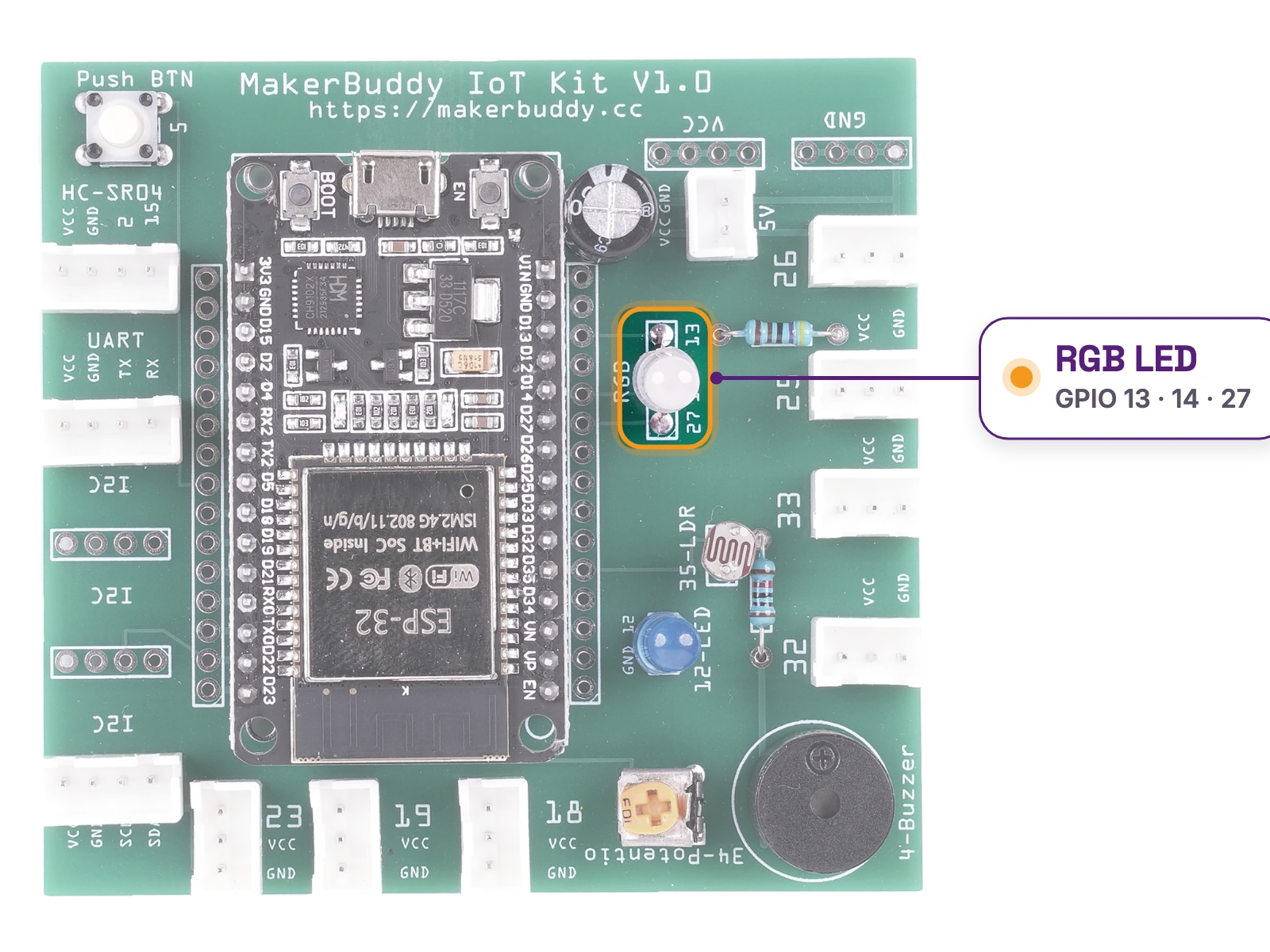
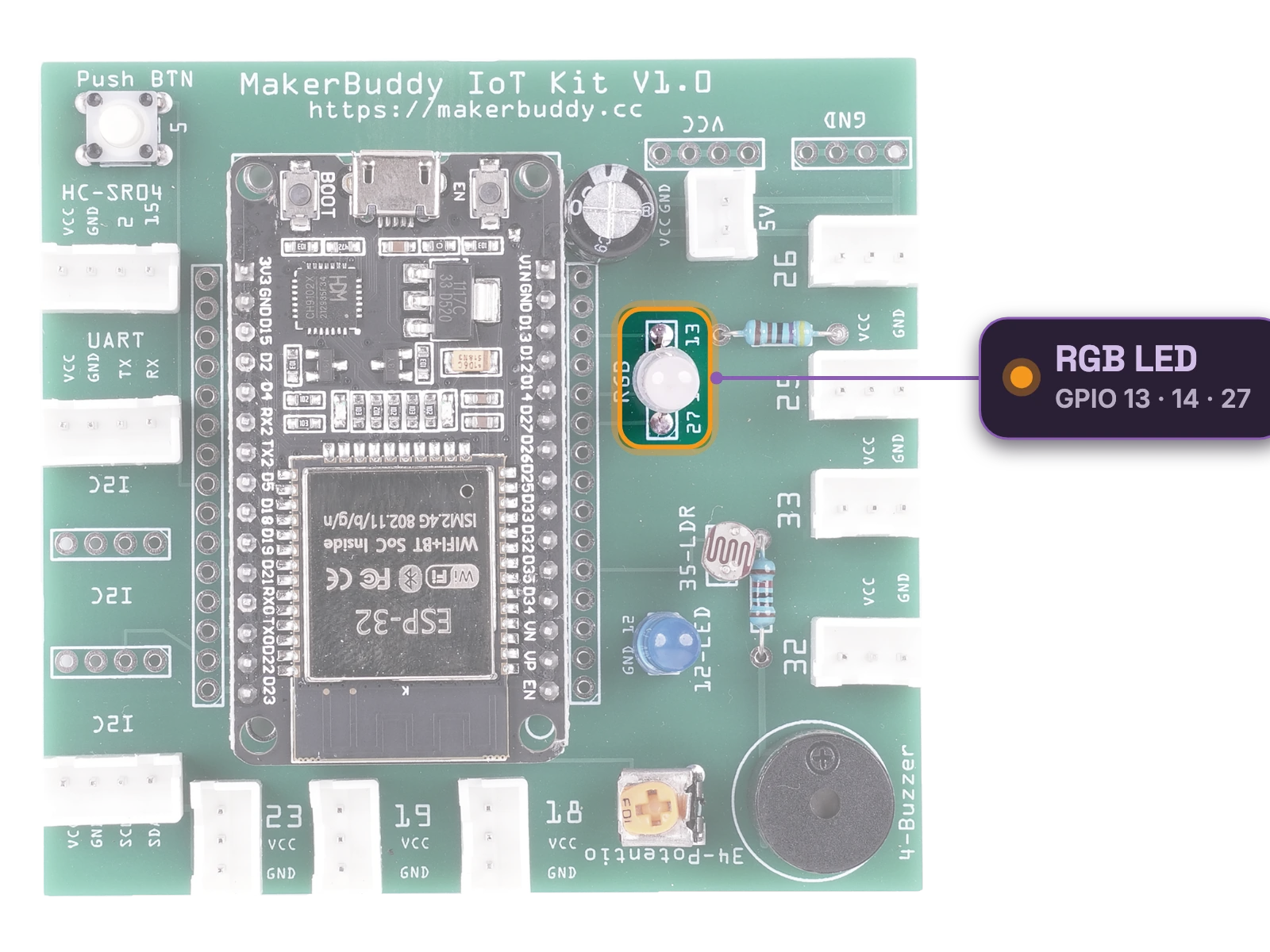
Hardware: embedded RGB LED
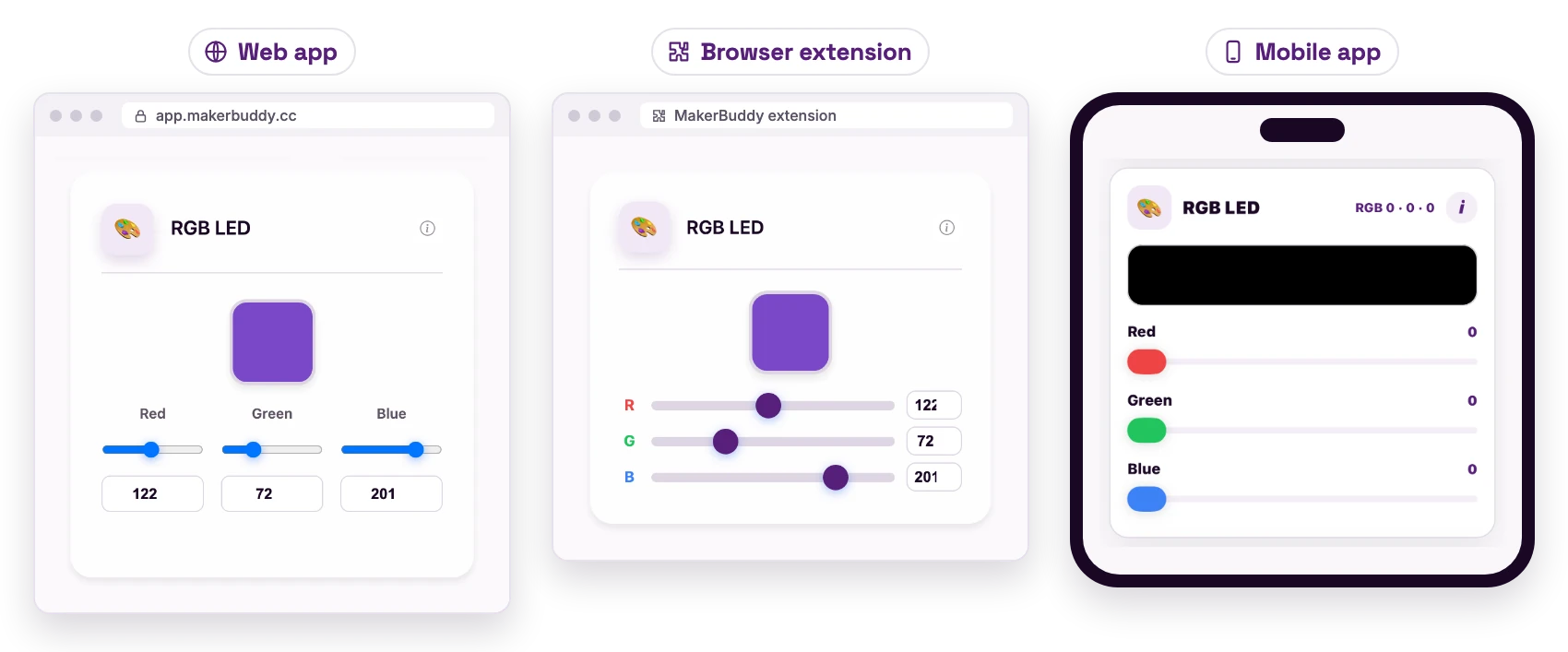
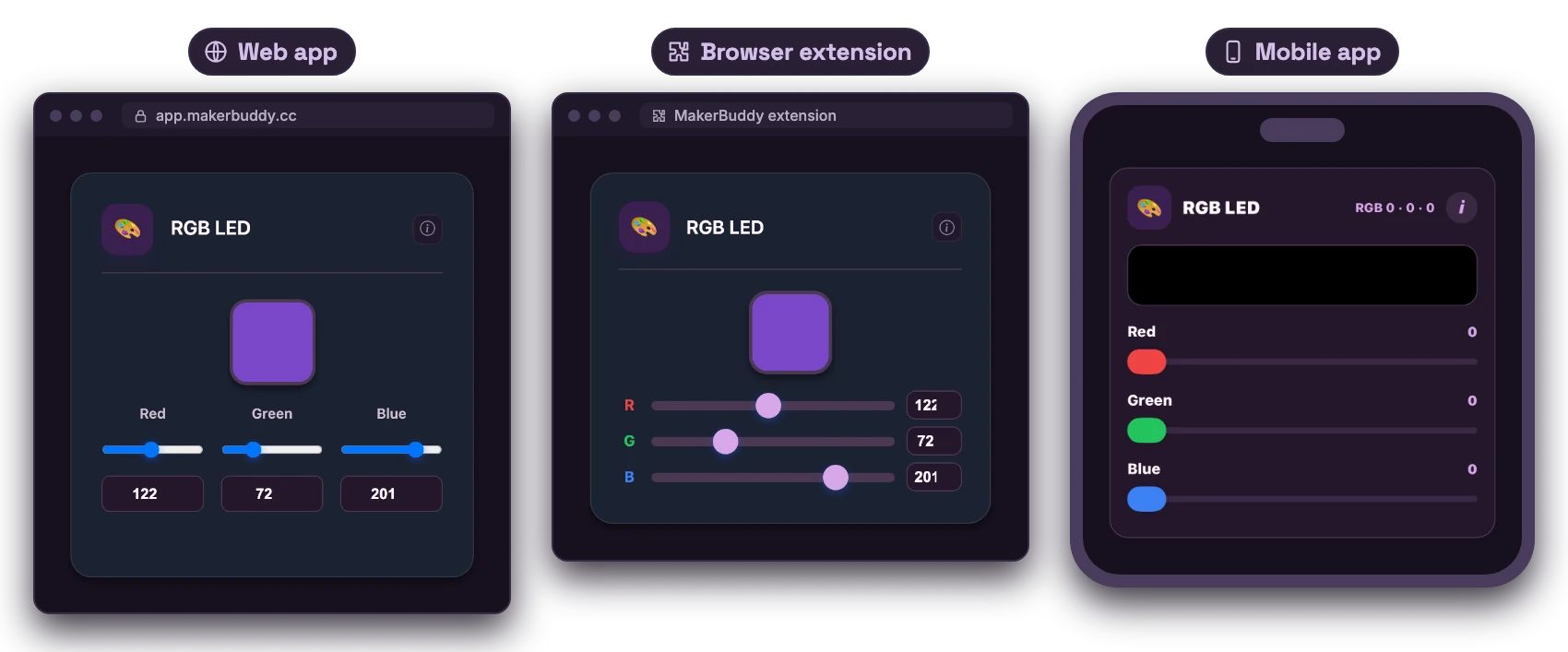
Dashboard: RGB LED Control Card
See How the RGB LED Works
Read the picture from left to right: the command → what happens inside → the result.
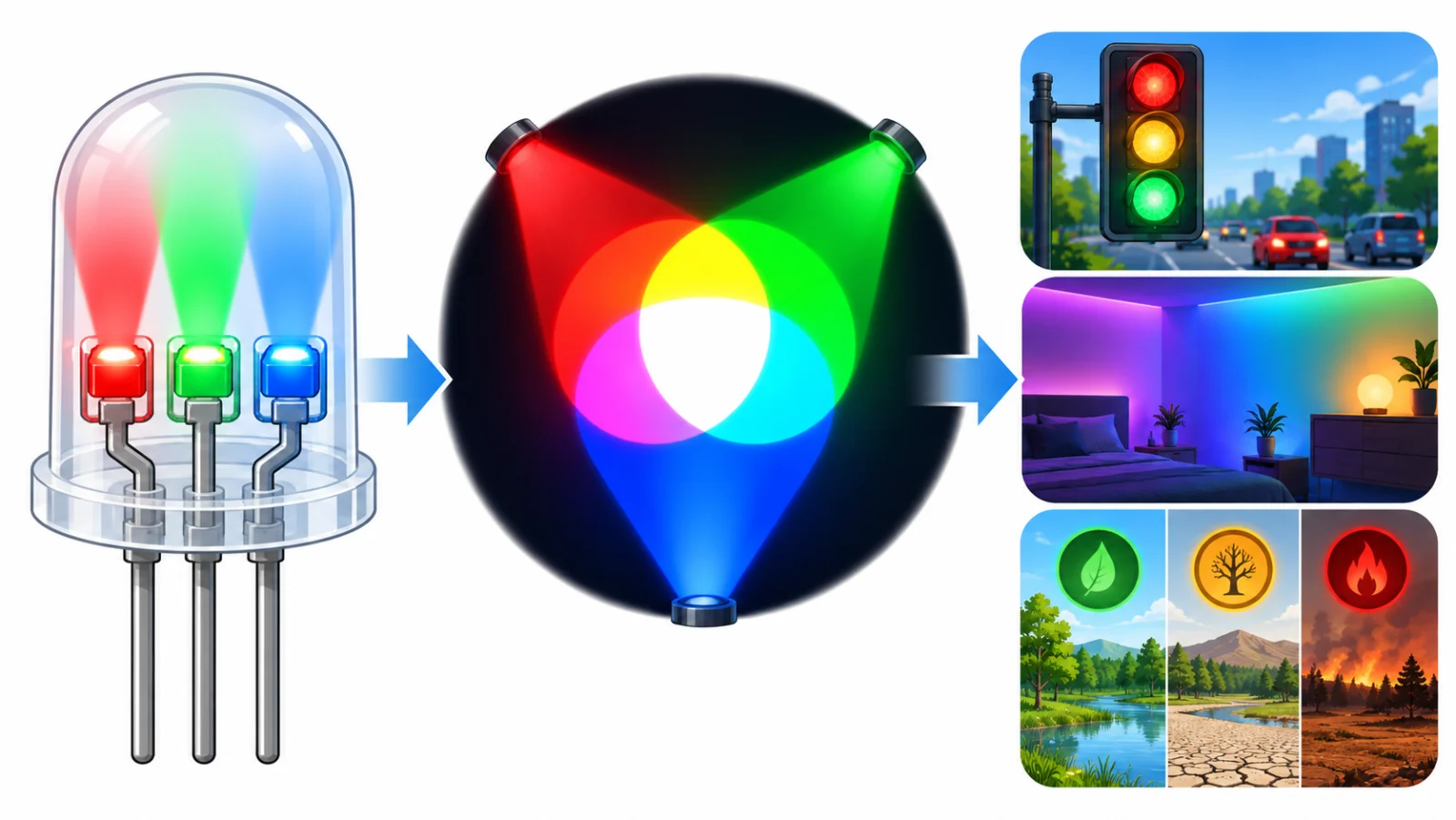
1 · What it receives
Three brightness values: red, green and blue.
2 · How it works
Three tiny lights mix to make new colors. All three bright together look white.
3 · Why it matters
One part can show many different messages by color.
Where might we use it?
- Traffic and status lights
- Mood lighting
- Color-coded sensor alerts
Student sentence: An RGB LED mixes red, green and blue light to make many colors.
Teacher/parent prompt: Ask, “What goes in on the left, what happens inside, and how does it help someone?”
Theory: RGB Color Model
The Science of Light and Color
Every screen, from your phone to a giant TV, makes millions of colors from just three: Red, Green and Blue. This is called the RGB color model.
Additive Color Mixing
Mixing paint is subtractive: each color you add makes it darker. Mixing light works the opposite way: it is additive, so adding light makes colors brighter. Red light plus green light makes yellow, and adding blue makes white! Every pixel on a screen has a tiny red, green and blue light, and so does your board's RGB LED. Changing how bright each one is makes millions of colors, almost every color you will ever need.
Understanding RGB Values (0-255)
Each of the three colors, called a channel, gets a number from 0 to 255. That is 256 brightness levels, because computers use 8-bit numbers (2^8 = 256). Red=255, Green=0, Blue=0 is pure red at full brightness. All three at 255 make white; all at 0 turn the LED off (black on a screen). Together that makes 256 × 256 × 256 = 16,777,216 different colors! Purple is about RGB(128, 0, 128), yellow is RGB(255, 255, 0) and cyan is RGB(0, 255, 255).
How RGB LEDs Work
The RGB LED is already built into your MakerBuddy IoT Board. Inside it are three tiny LEDs: one red, one green and one blue. PWM (from Week 4) sets how bright each one is, and your eye sees the mix as one smooth color.
For Teachers
If you can, mix colored flashlights in a dark room to show additive mixing. Ask students to predict each color before they test it. The 0-255 range links back to binary.
For Parents
Your child learns the RGB color model, used in every screen they look at. They find out why mixing light is different from mixing paint, and how a computer stores each color as a number from 0 to 255.
Try It: Mix Colours with Light
Interactive demo · no kit needed
Play with a pretend MakerBuddy board and its web page, right here.
Follow the steps one at a time. Got the kit? You can switch to the real board inside.
Hands-On Activity: Color Mixing
Activity Duration: 15-20 minutes
Use the RGB LED card on your dashboard to mix colors of light on the real board.
Step-by-Step Instructions:
- Locate the RGB LED: It is already built into the MakerBuddy IoT Board, so no wiring is needed.
- Access RGB Control: Open 📊 Dashboard and find the RGB LED card. It has a color preview, then Red, Green and Blue, each with a slider and a number box from 0 to 255. Type in the boxes for exact values.
- Primary Colors Test: Set Red to 255 with Green and Blue at 0. You see pure red. Then try green (0, 255, 0) and blue (0, 0, 255).
- Create Yellow: Set Red 255, Green 255, Blue 0. Red light plus green light makes yellow.
- Create Magenta: Set Red 255, Blue 255, Green 0. Red plus blue light makes magenta (sometimes called purple).
- Create Cyan: Set Green 255, Blue 255, Red 0. Green plus blue light makes cyan, a bright blue-green.
- Create White: Set all three to 255 to get white light. Real LEDs are not perfectly balanced, so your white may look a little blue or pink, and yellow a little green or orange. That's normal. The card's color preview is your screen's color, not a photo of your LED.
- Experiment with Shades: Try in-between values, like 255, 128, 0 for orange. If it still looks yellow, lower Green (try 60). 128, 0, 128 is the purple the Rule Engine's 🟣 RGB Purple uses: compare it with 255, 0, 255. Your eyes see a half-on LED as more than half as bright, so LED colors often need different numbers than screen colors.
What Students Should Observe:
- Two primary colors make a new color (yellow, magenta or cyan)
- 255 is full brightness; 128 or 64 is dimmer
- Lowering all three values makes a darker version of the color
- The LED changes the moment you move a slider
Pro Tip
Have students keep a "color journal" of RGB values they like, such as Sunset Orange (255, 100, 0), Ocean Blue (0, 128, 255) and Forest Green (34, 139, 34). Web designers pick exact colors the same way.
Challenge
Your Mission: Color Palette Creator
Make each color below using only the RGB sliders. No color picker tools allowed!
Challenge 1: Create Teal
Teal is a blue-green. You'll need Green and Blue, but how much of each? Write down your exact RGB values.
Challenge 2: Create Orange
Orange sits between red and yellow. Yellow is red + green, so how would you make orange? Try different amounts and write down your values.
Bonus Challenge: Make three more colors you like (such as lavender, coral or lime green) and write down their values. Can you build a palette for a theme, like "sunset" or "ocean"? How would a graphic designer use this in their work?
Success Criteria: You can make each color every time and explain why your numbers work. Knowing the "why" matters as much as getting the color.
Key Takeaways
✓ RGB Color Model
Three colors of light, Red, Green and Blue, make millions of colors. Every screen uses this model.
✓ Additive Color Mixing
Mixing light makes colors brighter, not darker like paint. Red + Green = Yellow, Red + Blue = Magenta, Green + Blue = Cyan and all three make white.
✓ Color Values (0-255)
Each channel goes from 0 to 255, which is 256 levels (2^8 = 256). Together the three make 16,777,216 colors.
✓ Primary Colors of Light
Red, Green and Blue are the primary colors of light. Most other colors can be made by mixing these three. Painting uses different ones: red, yellow and blue.
Coming Up Next Week:
Week 6: Digital Inputs (The Button)
Learning Support
Use this quick guide to help every learner understand, practice and explain The Physics of Color (RGB LED).
For students
Try it in three steps
- Say it: explain the main idea in one simple sentence.
- Show it: Mix red, green and blue light with the Red, Green and Blue sliders on the RGB LED card.
- Stretch it: Create teal and orange by adjusting RGB values.
Checkpoint: What was your input, what decision or process happened, and what was the output?
For teachers & parents
Coach without taking over
- Before: ask the learner to predict what will happen and why.
- During: use prompts such as “What changed?” and “What could you test next?” instead of giving the answer.
- After: ask for a 30-second explanation, one piece of evidence and one improvement.
Look for: safe handling, correct vocabulary, a result the learner can demonstrate, and an explanation in their own words.
Did you get it?
Three quick questions. Pick an answer to see whether it is right, and why.
1What do you get when red light and green light shine together?
2How is mixing colored light different from mixing paint?
3What does the RGB LED look like with Red, Green and Blue all set to 255?