
Learning Objective
Detect biological movement using infrared technology.
Security Sensing (PIR Motion)
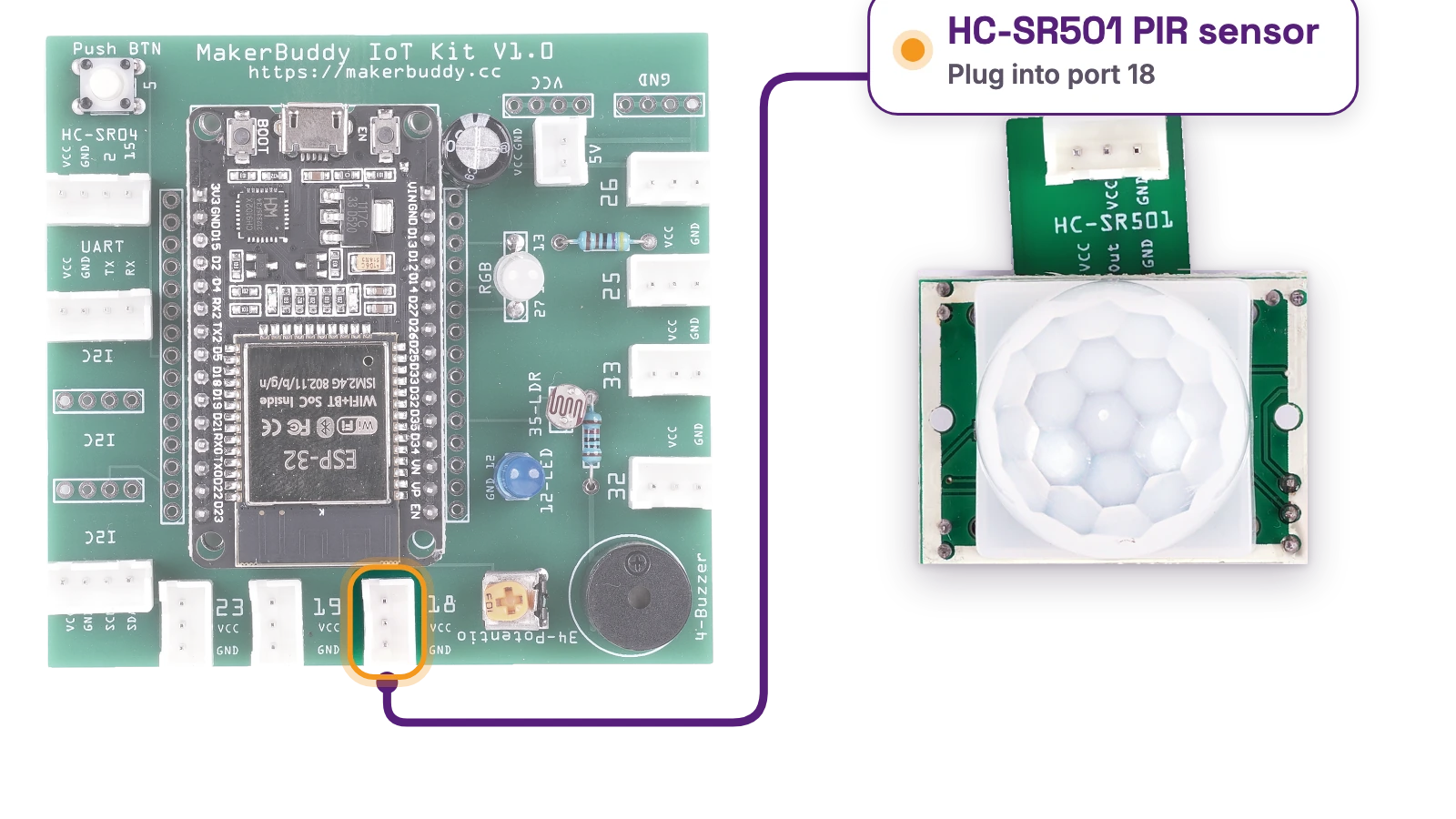
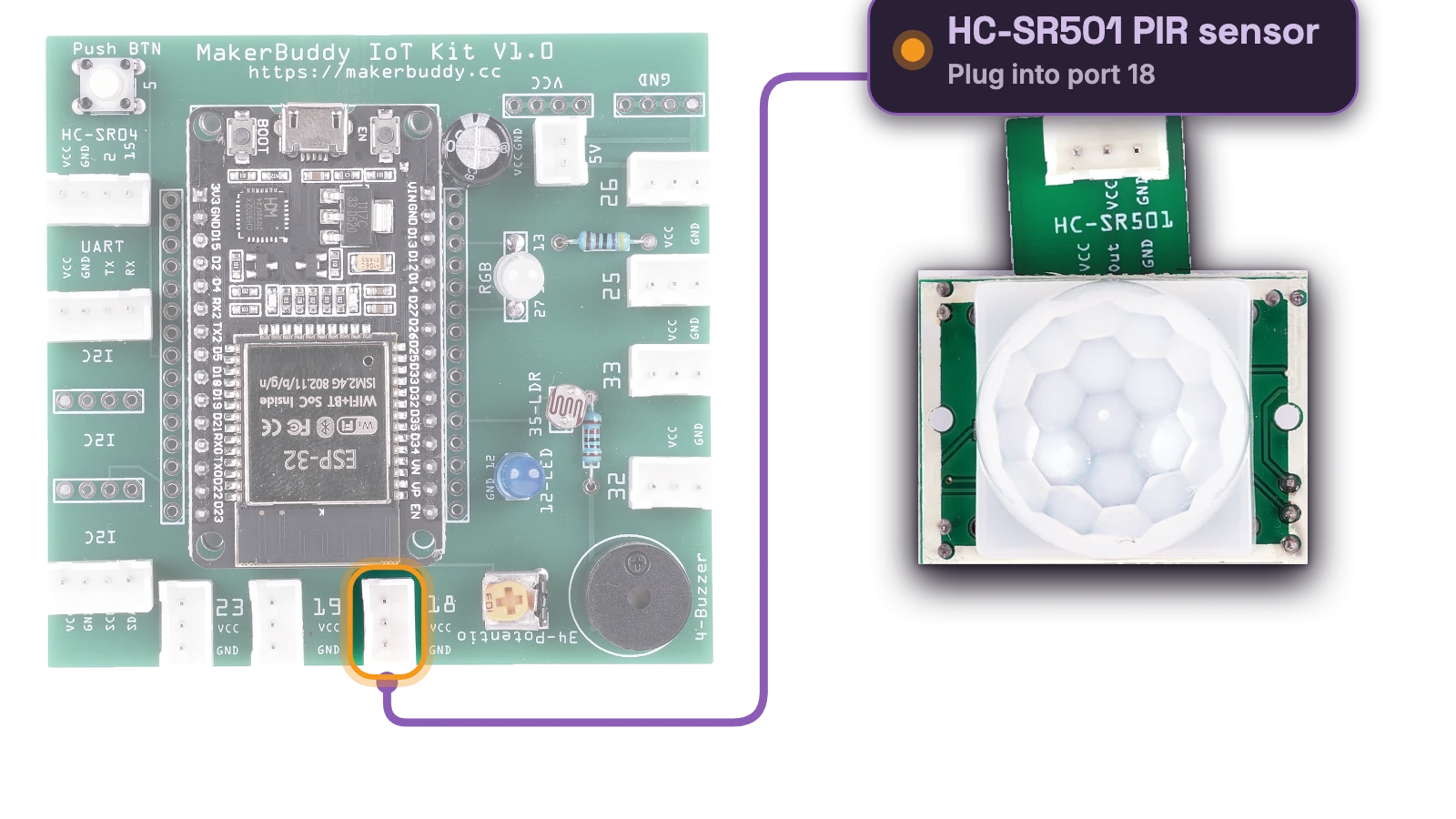
Hardware: HC-SR501 PIR Motion Sensor
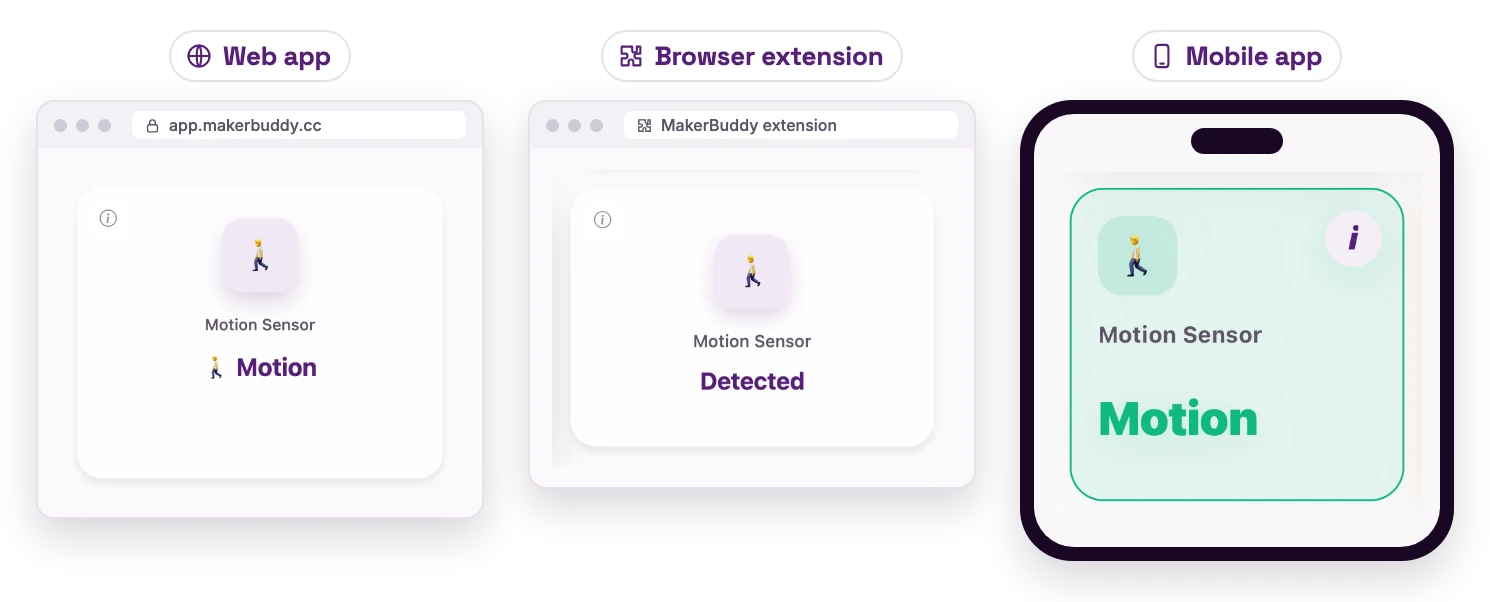
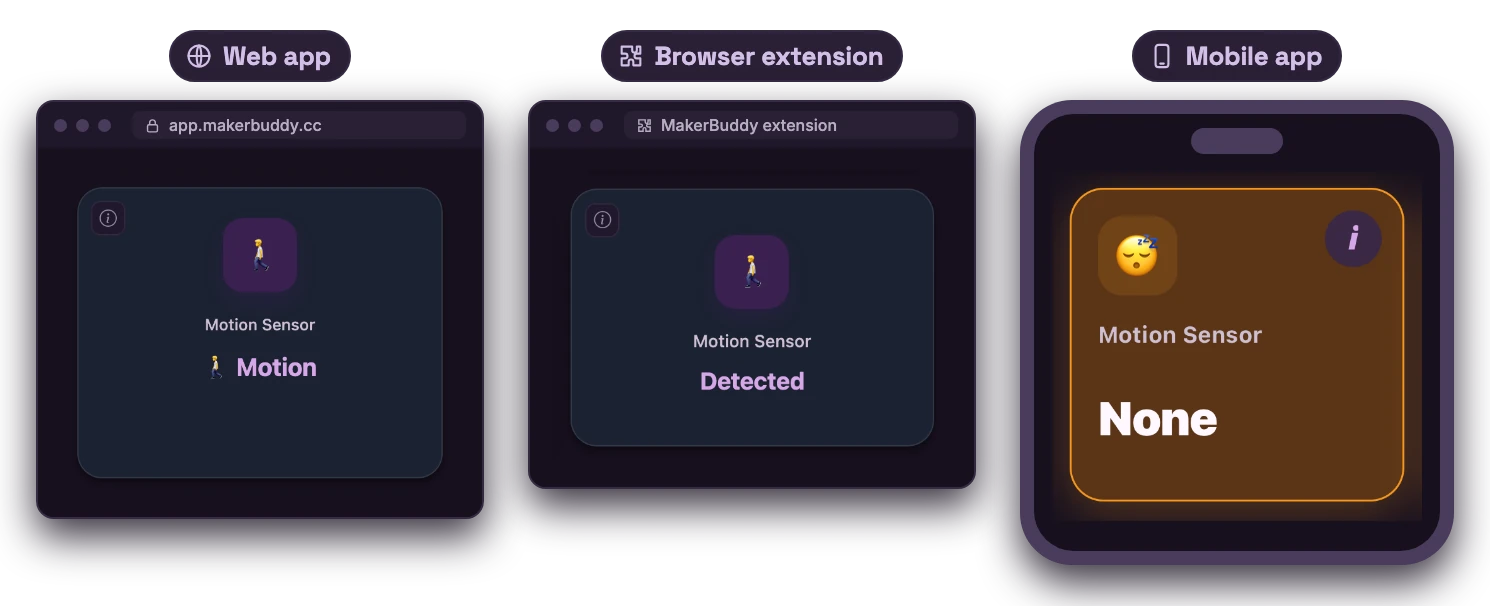
Dashboard: PIR Motion Indicator Card
See How the PIR Motion Sensor Works
Read the picture from left to right: the change in the world → the sensor signal → a useful action.
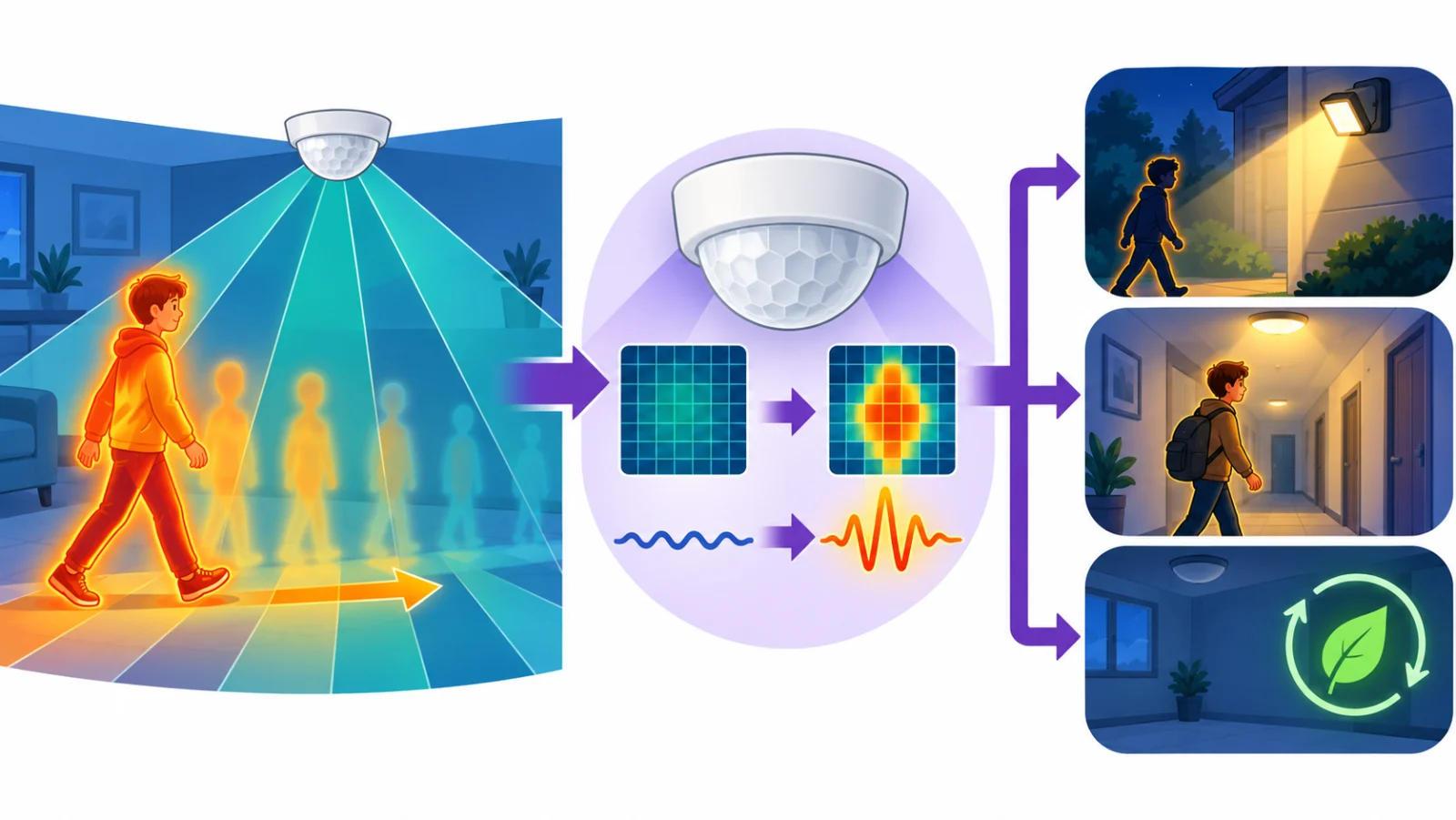
1 · What it notices
Body heat (infrared) moving across its view.
2 · How it works
Its lens splits the view into zones. Heat moving between zones means motion. It does not take a picture.
3 · Why it matters
It notices people, uses little power and records no images.
Where might we use it?
- Security lights
- Automatic hall lights
- Saving energy in empty rooms
Student sentence: A PIR senses movement from changing heat, not by seeing like a camera.
Teacher/parent prompt: Ask, “What changes on the left, what does the sensor turn it into, and what could happen next?”
Theory: Passive Infrared (PIR) Sensors
From Sensing Rooms to Sensing People
So far we measured light, temperature, humidity and distance. Now we detect living beings. The PIR (Passive Infrared) Motion Sensor senses the infrared heat that warm-blooded creatures, like people and pets, give off.
How PIR Sensors Work
Everything warm gives off infrared radiation, a light we can't see. The white dome (a Fresnel lens) splits the sensor's view into zones. When a warm body (a person is about 37°C) moves across its view, from zone to zone, the sensor triggers. It is "passive": it sends out nothing and only receives infrared. Active sensors, like the ultrasonic one, send out a signal.
Range and Settings
The kit's PIR sees about 3-7 meters (set by its sensitivity knob), across about 120 degrees. Two small knobs set the sensitivity (how much heat change triggers it) and the time delay (how long the output stays HIGH). The output is a simple digital signal: HIGH (motion detected) or LOW (no motion). When the output goes back to LOW, it waits about 2-3 seconds before it can trigger again.
Real-World Applications
Home security systems use PIR sensors to spot intruders. Automatic lighting switches on when you walk in and off when you leave. Wildlife cameras take photos only when an animal passes.
For Teachers
Compare passive sensors (receive only, like the PIR) with active ones (send and receive, like the ultrasonic). Have students walk past at different angles: crossing the view works far better than walking straight at it. A PIR senses presence but can't tell who you are, which is good for privacy.
For Parents
Your child is learning how the motion sensors in alarms, automatic doors and energy-saving lights work. A PIR senses body heat, so it knows someone is there without a camera.
Try It: Sneak Past the Sensor
Interactive demo · no kit needed
Play with a pretend MakerBuddy board and its web page, right here.
Follow the steps one at a time. Got the kit? You can switch to the real board inside.
Hands-On Activity: Motion Detection
Activity Duration: 20-25 minutes
Connect the PIR sensor, then test how far away, at what angle and how fast it spots you.
Step-by-Step Instructions:
- Identify the PIR Sensor: Find the white dome (the Fresnel lens) and the three pins.
- Locate the Connector: Find the 3-pin connector marked 18 on the bottom edge of the board.
- Connect the Sensor: Unplug the USB cable. Plug the sensor into connector 18 (it fits only one way; never force it), then plug the USB cable back in.
- Open the Dashboard: Find the Motion Sensor card.
- Baseline Test: Give the PIR about a minute after the board starts; it may switch on and off by itself while it settles. Then sit still for 10 seconds: the card should show 😴 None.
- Trigger Detection: Wave your hand in front of the sensor. The card changes to 🚶 Motion. It can take up to about 3 seconds: the board checks the sensor once a second, and the dashboard updates about every 2 seconds.
- Test Detection Range: Move at 1, 2 and 3+ meters away. What is the farthest distance that works?
- Test Detection Angles: Walk straight at the sensor, then side to side, then at 45 degrees. Which way works best?
- Observe the Delay: Time how long the card stays on 🚶 Motion after you stop. Your timing can be off by about 2 seconds, because the card updates every 2 seconds. This is the "time delay" setting; ask your teacher before turning its knobs.
What Students Should Observe:
- Motion is either detected (HIGH) or not (LOW), nothing in between
- Crossing the sensor's view works better than walking straight at it
- The range is about 3-7 meters, depending on the sensitivity knob
- The card stays on 🚶 Motion for the time set by the module's Time knob (about 3 seconds to a few minutes). Then the sensor ignores movement for about 2-3 seconds
- Big movements are easier to detect than small, slow ones
Challenge
Your Mission: The Stealth Challenge
Can you outsmart a security sensor? Try to reach it without being detected!
Challenge 1: Red Light, Green Light
This classic game shows how a PIR sensor behaves:
- Partner A watches the Motion Sensor card
- Partner B starts 4-5 meters from the sensor
- On "Green Light," Partner B moves toward the sensor
- When the card shows 🚶 Motion, Partner A yells "Red Light!" (the card can lag up to about 3 seconds)
- Partner B freezes
- Wait for the card to show 😴 None again
- Repeat until Partner B reaches the sensor or gets caught moving during Red Light
Question: Which works better: fast bursts or slow, smooth moves?
Challenge 2: Security System Design
You're protecting a small room. Use your results to answer:
- Where should the sensor go to cover the door?
- How many sensors would cover all four walls?
- Where are the "blind spots"?
- Would it notice someone already sitting still in the room?
Discussion Questions:
- Why does crossing the view work better than walking straight at it?
- How does the time delay affect battery-powered security lights?
- Why is a PIR better than a camera for privacy?
- Could you trigger it by waving a warm object (like a heating pad)?
Bonus Challenge: Design a room light that turns on when you enter and stays on for at least 60 seconds. What parts would you need? (In Term 4 you'll build it with a Condition rule: 🏃 Motion Sensor Equal to (==) True → 💡 LED On with a Delay of 60000 ms → 💡 LED Off.)
Key Takeaways
✓ PIR Technology
A PIR senses changes in the infrared heat that warm bodies give off. It is passive: it only receives.
✓ Heat Detection
People (about 37°C) give off infrared light we can't see. The sensor works in the dark and can't tell who you are.
✓ Motion Sensing
The output is digital: HIGH for motion, LOW for none. Knobs set the sensitivity and the time delay.
✓ Security Systems
PIR sensors run burglar alarms and automatic lights. They sense people without taking pictures.
Coming Up Next Week:
Week 14: Introduction to Motors: SG90 Servo
Learning Support
Use this quick guide to help every learner understand, practice and explain Security Sensing (PIR Motion).
For students
Try it in three steps
- Say it: explain the main idea in one simple sentence.
- Show it: Connect the PIR to connector 18 (USB unplugged). Test motion detection angles and reset delays.
- Stretch it: Sneak up on the sensor without triggering the motion status.
Checkpoint: What was your input, what decision or process happened, and what was the output?
For teachers & parents
Coach without taking over
- Before: ask the learner to predict what will happen and why.
- During: use prompts such as “What changed?” and “What could you test next?” instead of giving the answer.
- After: ask for a 30-second explanation, one piece of evidence and one improvement.
Look for: safe handling, correct vocabulary, a result the learner can demonstrate, and an explanation in their own words.
Did you get it?
Three quick questions. Pick an answer to see whether it is right, and why.
1What does a PIR motion sensor actually detect?
2Why is the PIR called a passive sensor?
3How does the PIR sensor report what it sees?